View My Project on GitHub
Video Demo
Introduction
I love experimenting in the kitchen, and I am constantly looking up new recipes on my iPhone. But using a phone while cooking has always been a frustrating experience. It is not sanitary to touch with messy hands, the screen turns off every 30 seconds, and most online recipes are not tailored to what I actually have or the number of servings I need. On top of that, I always have to scroll through pages of ads and filler text just to find the ingredient list, only to repeat the process every time the browser reloads.
I have always wished I had a dedicated kitchen tablet: a low-cost device that stays on, stays clean, and lets me search, customize, and cook from recipes without the constant friction of using a phone.
These frustrations, combined with my desire for a better cooking experience, led me to develop AI Sous Chef: a fully custom, AI-powered cooking assistant built on a Raspberry Pi with a 7-inch touchscreen.
Features
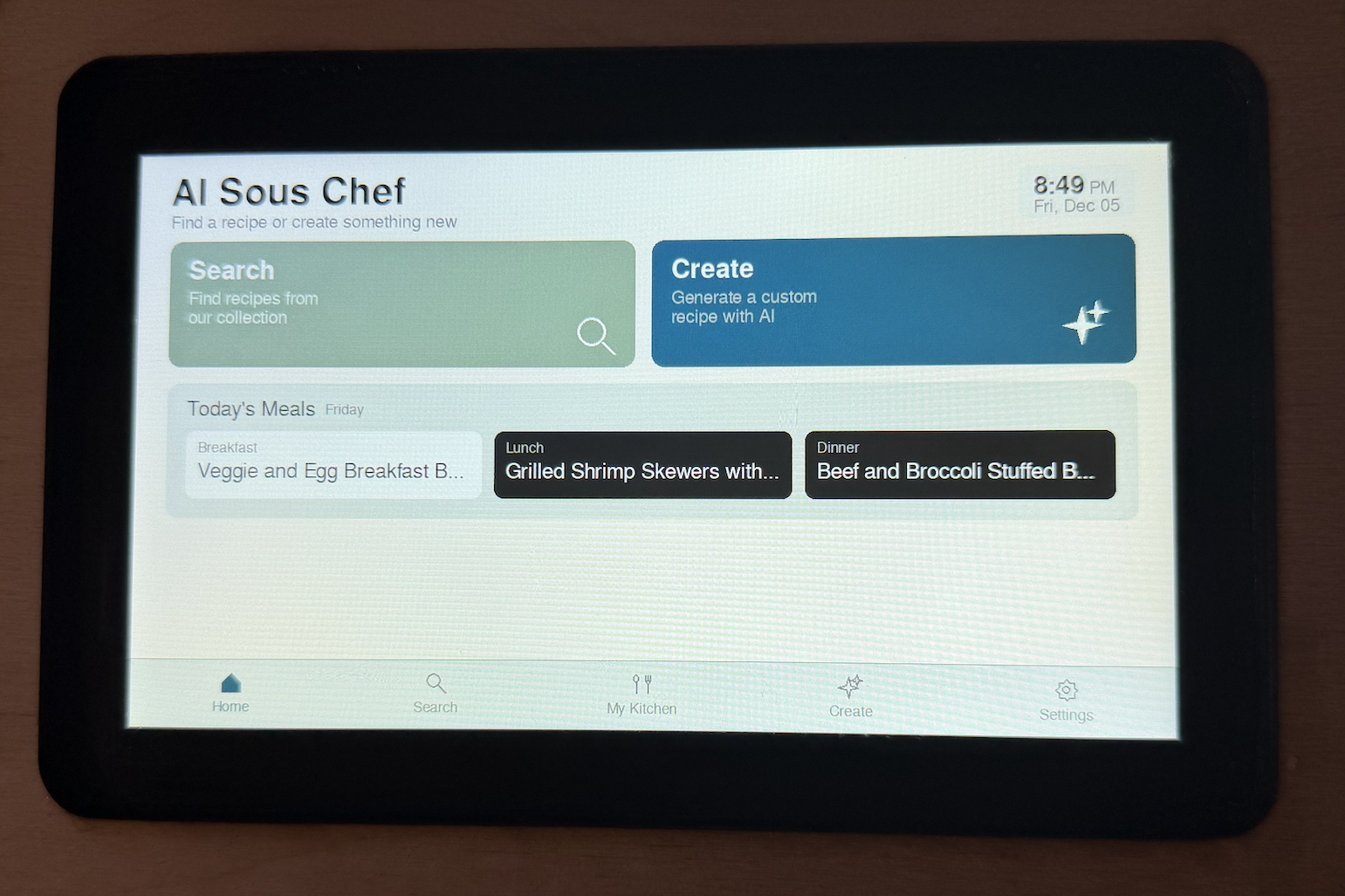
AI Sous Chef is built around three core capabilities:
- Searching a curated recipe database
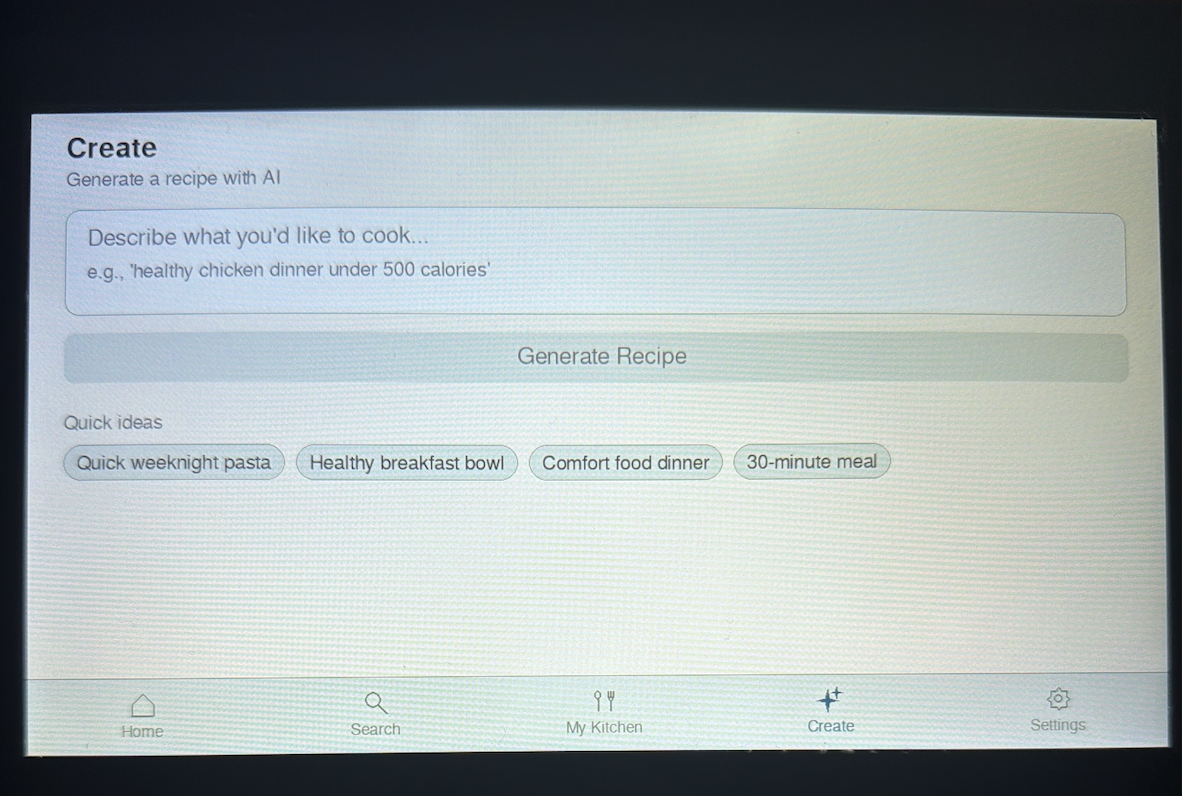
- Generating entirely new recipes with AI
- Modifying any recipe to fit your exact needs
Beyond these core functions, the device includes a full suite of tools designed specifically for real-world cooking workflows:
Recipe Discovery & Customization
- Search a local curated recipe database instantly, backed by DynamoDB metadata for fast lookups.
- Generate new recipes from scratch using Bedrock (Claude Haiku 3), with support for dietary restrictions and ingredient limitations.
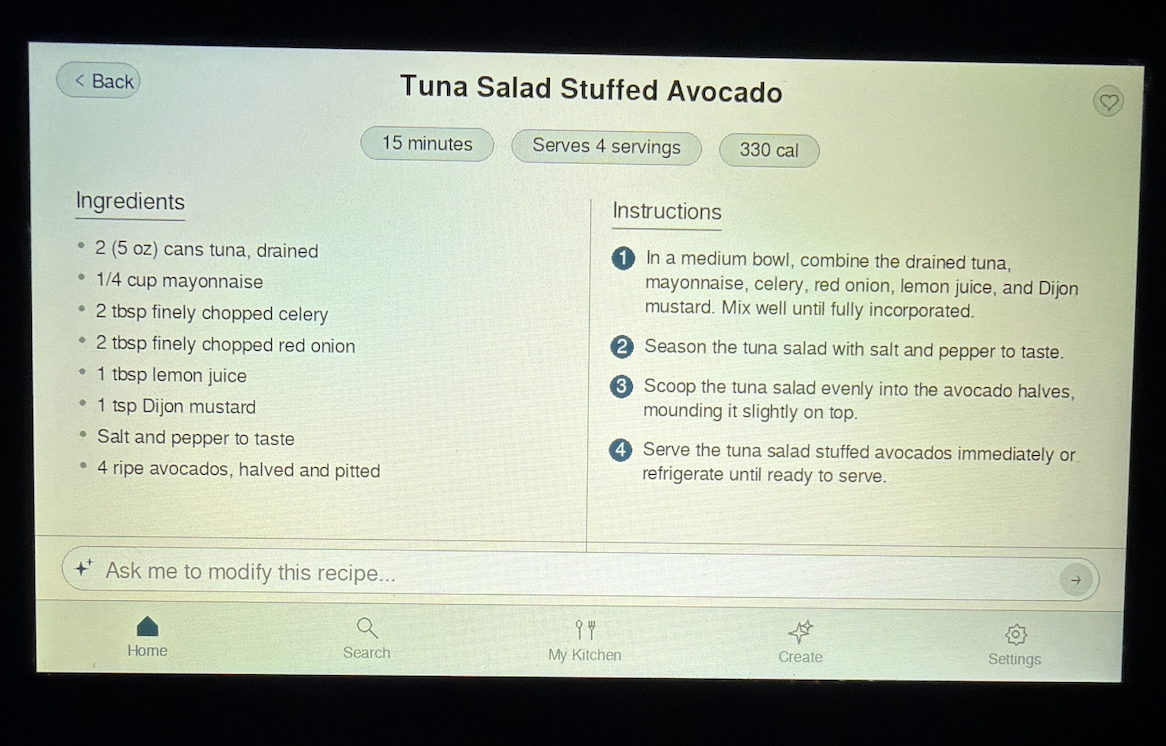
- Modify existing recipes on demand (e.g., “double the portions and remove butter”).
- Auto-adjust servings, ingredients, and cooking steps to match user preferences.
- Log dietary preferences, allergies, and skill level so all generated recipes match your profile.
Meal Planning & Shopping
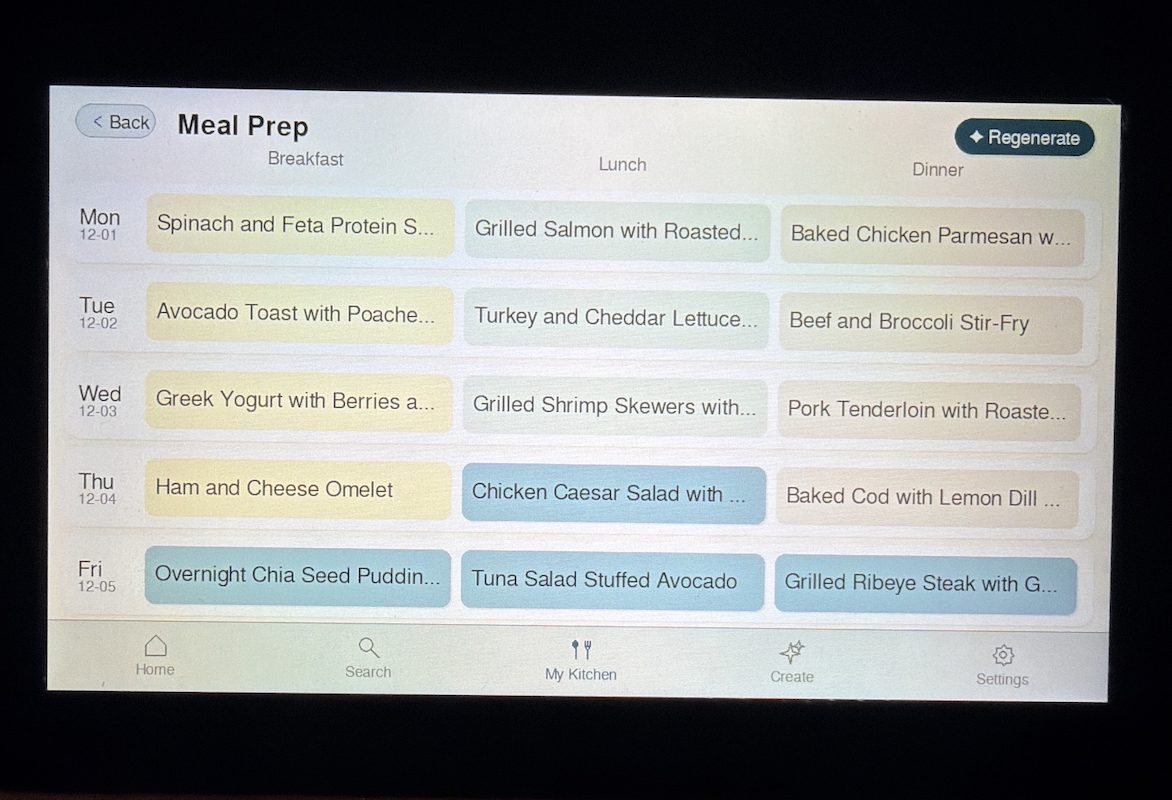
- Create multi-day meal plans from a text description (e.g., “high-protein, low-fat meal plan for the week”).
- Generate a complete shopping list from any meal plan in one tap.
On-Device Cooking Experience
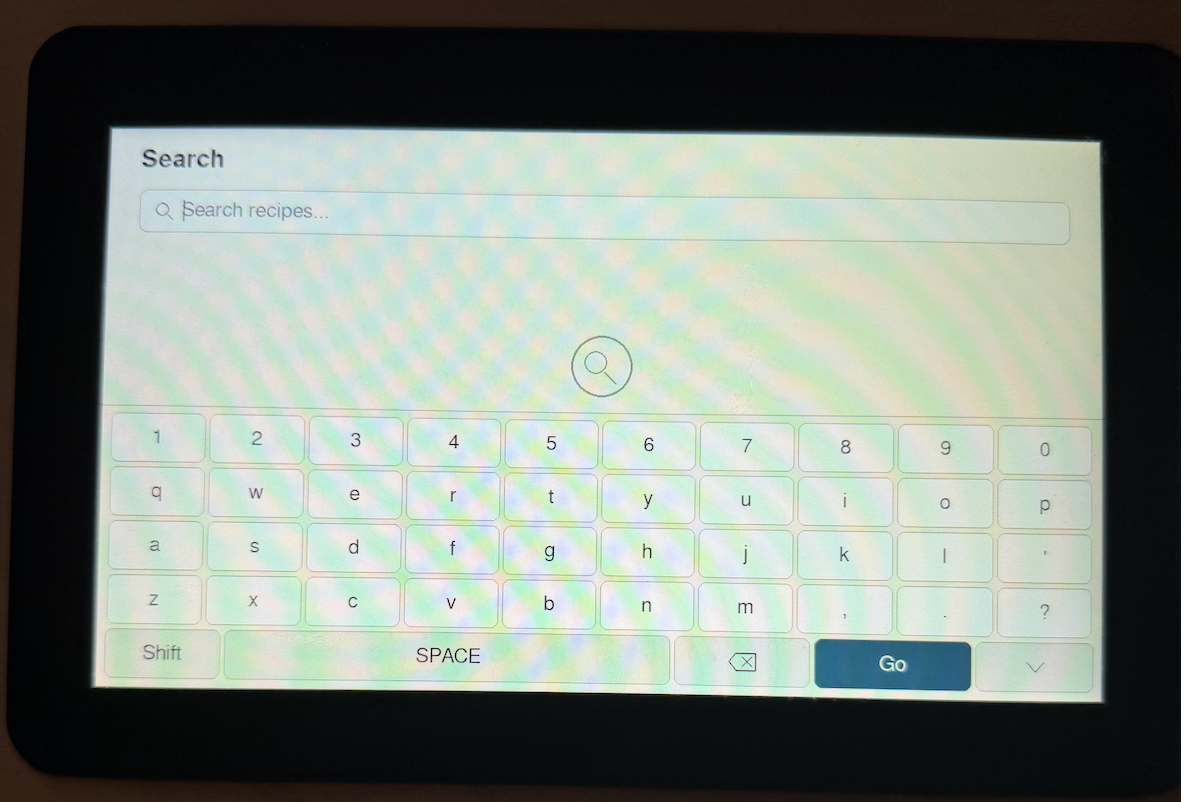
- Full touchscreen keyboard made with Python & Pygame for text input
- Always-on cooking display that never times out mid-recipe.
- Integrated kitchen timer for hands-free tracking.
- Clean, minimal interface that stays readable and sanitary in a busy kitchen.
System & Device Controls
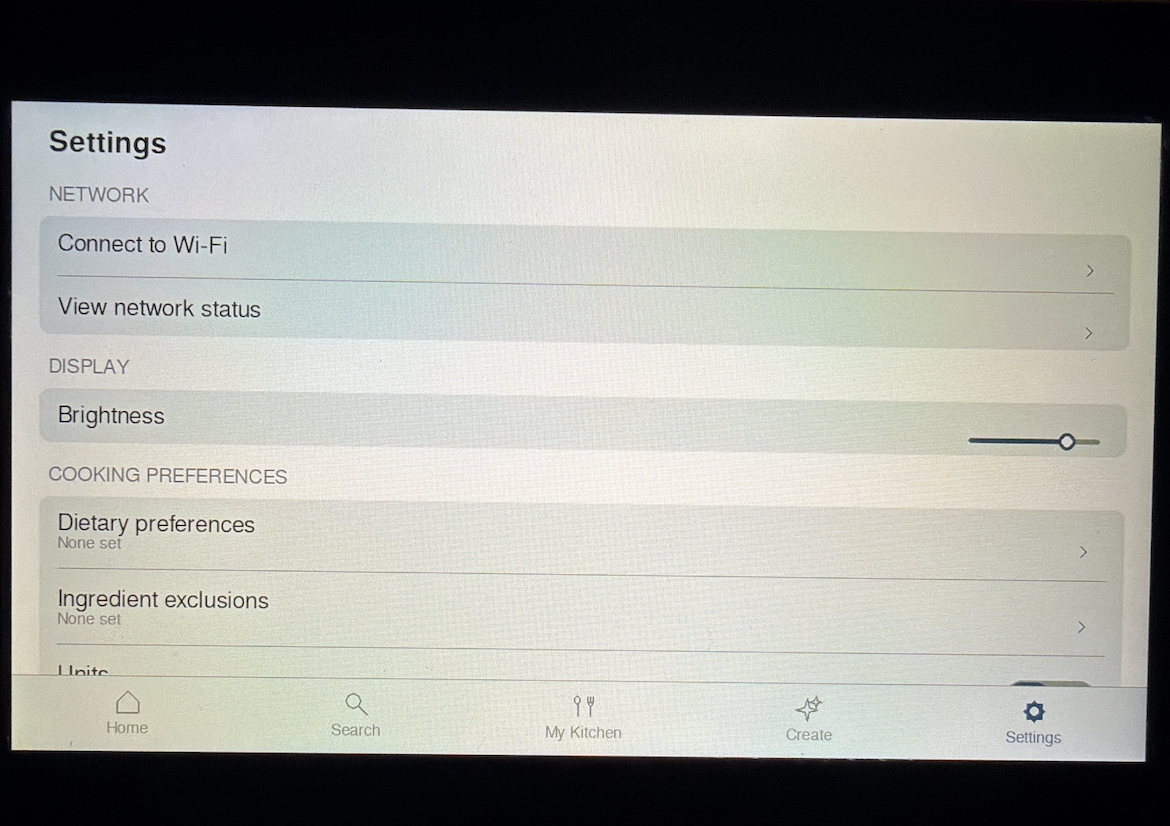
- Connect to new WiFi networks from within the app.
- Adjust brightness, toggle units, and perform software updates.
- Restart or shut down the Raspberry Pi.
- Factory reset option for a clean slate.
Tech Stack
AI Sous Chef is built on a full end-to-end pipeline that spans data ingestion, cloud infrastructure, on-device rendering, and LLM-powered recipe generation. The system is designed to be low-cost, modular, and fully automated.
ETL & Cloud Infrastructure
- EC2 for running the ETL pipeline that cleans, formats, and prepares the recipes dataset.
- S3 for storing both the raw dataset inputs and the cleaned recipe JSON files.
- DynamoDB to store recipe metadata, enabling fast and inexpensive lookups during search.
- VPC to isolate ETL operations inside a private subnet.
- IAM for secure, least-privilege access control across all AWS components.
- Boto3 Automation to provision and tear down all ETL resources programmatically without using the AWS console.
AI/ML
- Amazon Bedrock for generating new recipes, modifying existing ones, and creating meal plans using Claude Haiku 3 (chosen for its extremely low cost fast inference).
On-Device Software
- Python for application logic and integration with AWS services.
- Pygame for rendering the UI, including the custom on-screen keyboard and all interactive components.
System Architecture
ETL
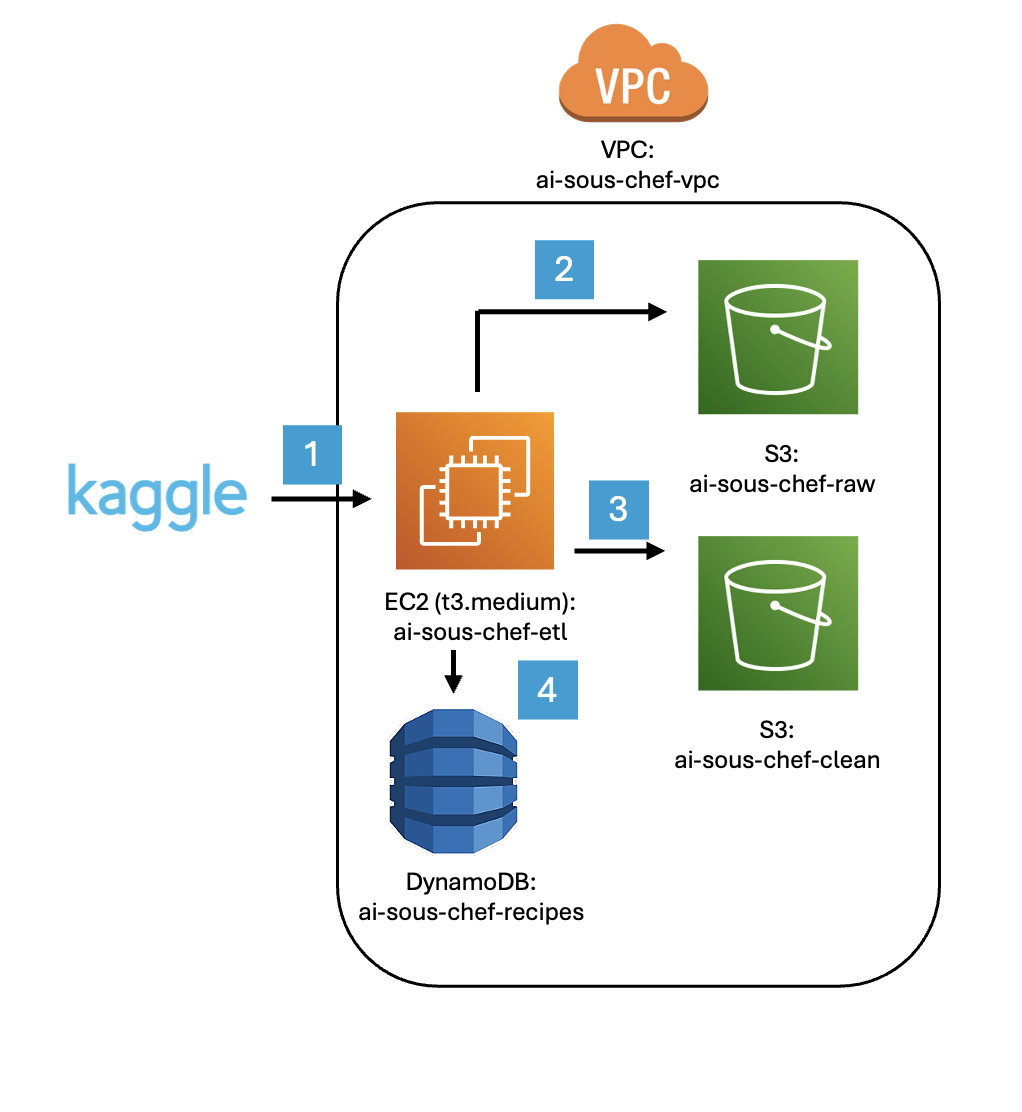
- The EC2 instance downloads the raw recipes dataset and converts each recipe into a standardized JSON format.
- The raw recipes are uploaded to an S3 bucket.
- The cleaned recipes are uploaded to a dedicated clean S3 bucket, stored as
recipes/id.json. - Each recipe's metadata is written as an item in a DynamoDB table.
- The raw S3 bucket is deleted, and the EC2 instance, subnet, and VPC are terminated.
Searching for Recipes in the Dataset
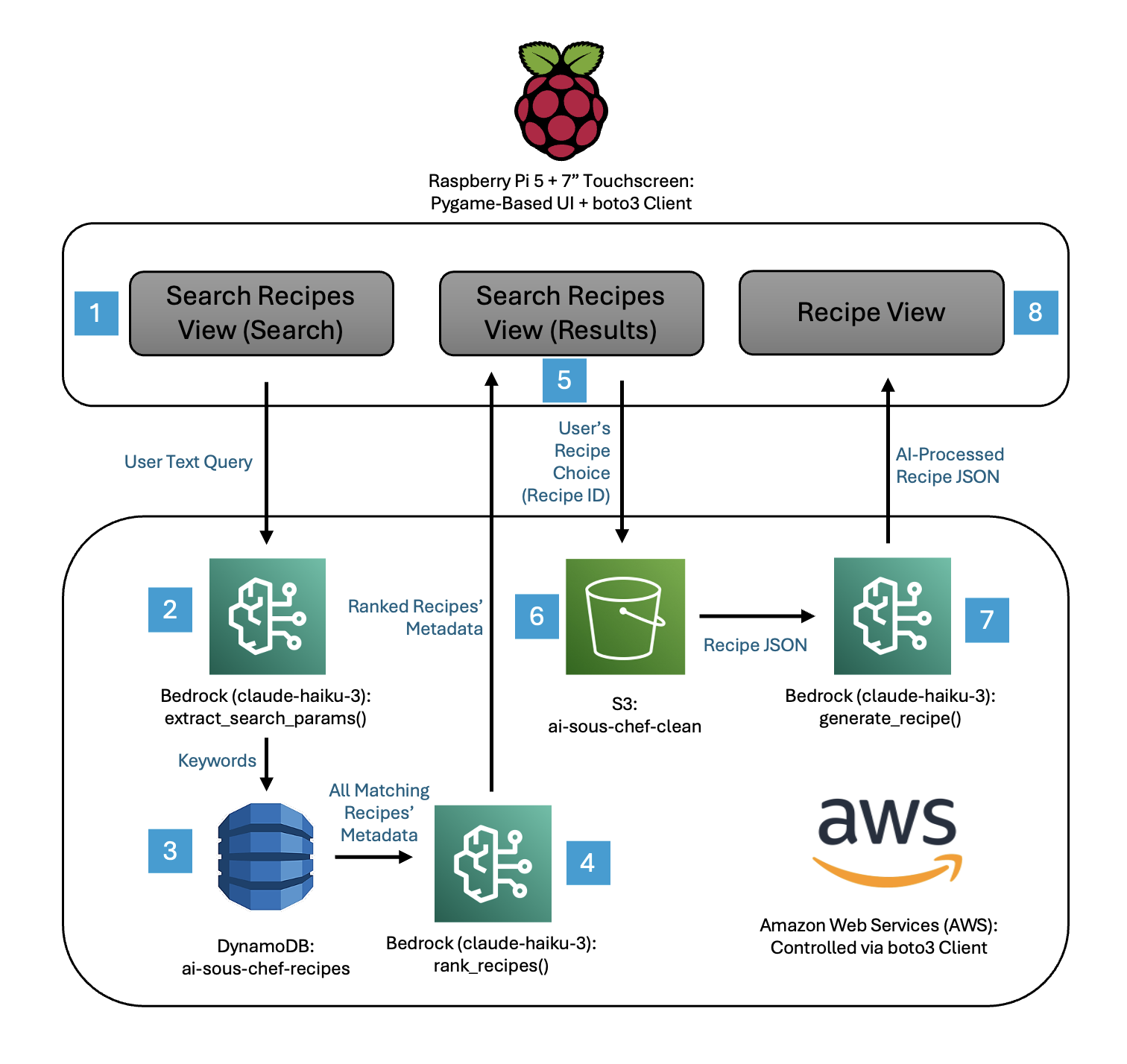
- The user types a recipe request using the touch keyboard in the Search View.
extract_search_params()uses Bedrock (Claude Haiku 3) to convert the natural-language query into structured keywords and filters, since DynamoDB can only search predefined, indexed attributes rather than raw text.- These extracted keywords are used to query the 100k-recipe DynamoDB table, which returns metadata for all matching recipes.
rank_recipes()uses Bedrock to score the candidate recipes and returns only the most relevant results.- The top recipe names and metadata are displayed in the Search View, and the user selects one of the results.
- Since full recipes are stored in S3, selecting a recipe triggers an S3 Object GET request, which returns the complete recipe JSON (storing full recipes in S3 is significantly cheaper than in DynamoDB).
generate_recipe()uses Bedrock to create a fully structured recipe from a natural-language request, returning standardized JSON—name, ingredients, instructions, times, nutrition, and tags—along with three modification suggestions.- The finalized recipe is displayed to the user in the Recipe View.
Dataset
I used the Kaggle dataset: Food.com - Recipes and Reviews, containing over 500,000 detailed recipes.
AI Model Integration
AI Sous Chef uses Amazon Bedrock throughout the application to power all AI-driven cooking features. Bedrock (via Claude Haiku 3) is integrated directly into the Raspberry Pi app, allowing the device to generate and modify recipes in real time.
- Generate New Recipes: When a user types a prompt (e.g., "make a high-protein pasta dish"), the app sends the request to Bedrock. The model returns a fully structured recipe, which is then displayed and automatically saved on the device.
- Modify Existing Recipes: Users can describe changes they want (such as removing an ingredient or adjusting servings). The update request is sent to Bedrock, which outputs a modified version of the recipe.
- Search Intent Extraction: Before scanning DynamoDB, the app uses Bedrock to interpret natural language search queries and extract search parameters such as keywords, category, dietary rules, or calorie limits.
- Recipe Ranking: After DynamoDB returns candidate recipes, Bedrock is used to semantically rank which results are most relevant to the user's query.
- Meal Plan Generation: When creating a weekly meal plan, the app sends the user's preferences (dietary restrictions, exclusions, skill level, etc.) to Bedrock. The model generates 21 recipes with structured metadata so the app can hydrate and display each meal.
- Grocery List Creation: The grocery list manager sends the full set of planned meals to Bedrock, which consolidates ingredients, removes duplicates, and formats a clean shopping list.
In all cases, Bedrock calls are made through lightweight boto3 requests from the Raspberry Pi, keeping the device inexpensive while enabling AI-powered cooking features that feel immediate and intuitive.
UI & Interaction Design
The entire UI is built from scratch in Python using Pygame—no web views, no system UI components. This gave me full control over the interaction model but meant building everything myself: navigation, scrolling, keyboards, and touch handling.
Key Implementation Details
- Custom Touch Keyboard: The system keyboard doesn't integrate with fullscreen Pygame, so I built an on-screen keyboard from scratch with touch input handling.
- Touch Scrolling: Implemented drag-to-scroll with a threshold to distinguish between taps and swipes, preventing accidental scrolls when tapping buttons.
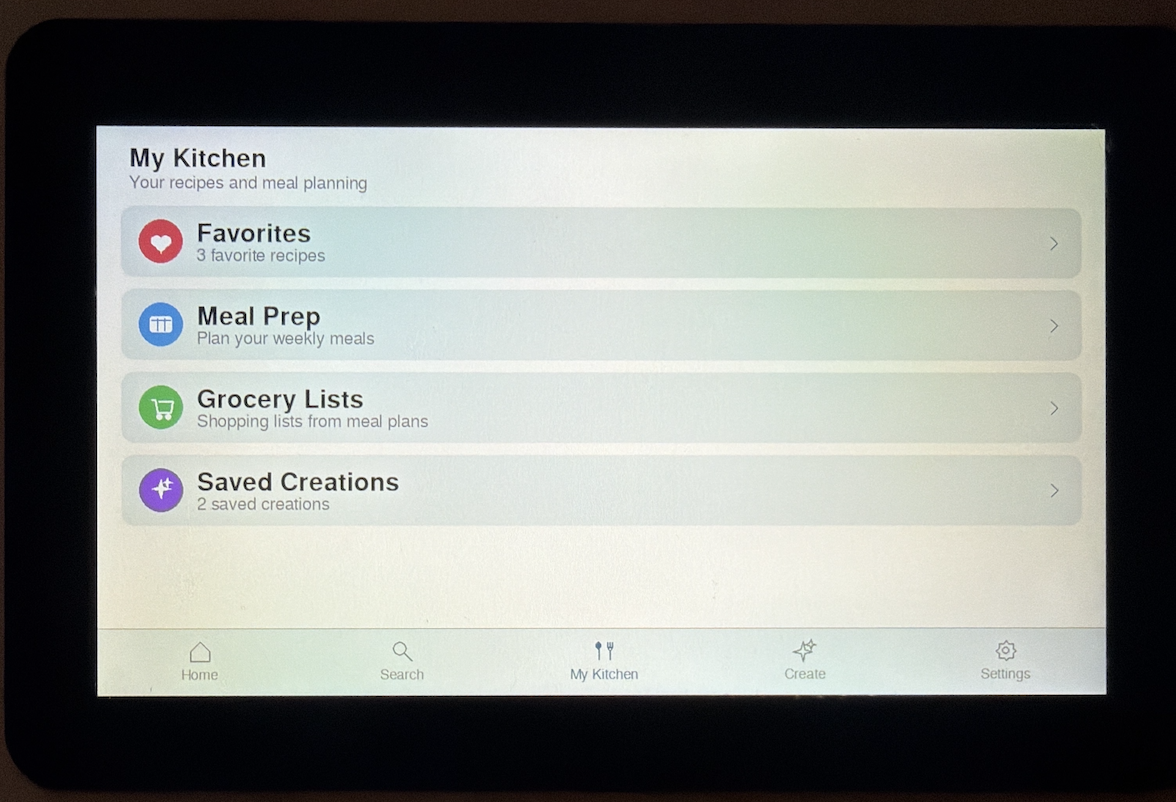
- Bottom Navigation: A persistent nav bar provides quick access to Home, Search, Create, My Kitchen, and Settings from anywhere in the app.
Visual Style
The interface uses a warm off-white background to feel less harsh than pure white, with a clean sans-serif font at multiple sizes for hierarchy. The goal was a minimal, readable layout that stays out of the way while cooking.
Future Improvements
- Voice Control: Add offline or hybrid voice recognition for hands-free cooking.
- Computer Vision Assistance: Use a Pi-compatible camera to detect doneness, ingredient amounts, and cooking progress.
- User Accounts and Profiles: Store preferences, restrictions, and cooking history across devices.
- Smart Pantry Tracking: Track what ingredients you have and offer recipe suggestions based on what's available.
- Better Meal Planning: Weekly plan generator with macros, calories, and shopping list optimization.
Reflection and Concluding Thoughts
AI Sous Chef is the project I am most proud of because it blends everything I love – AI, software engineering, UX design, and hardware – into one seamless product. What started as a simple annoyance in the kitchen turned into a unified system that meaningfully improves the cooking experience, and building it end-to-end has been one of the most rewarding things I have done.
Appendix: More Images